
WELCOME
TRANSLATE
GUIDE
Multilingual Visitor Apps for
Museums, Zoos and Attractions
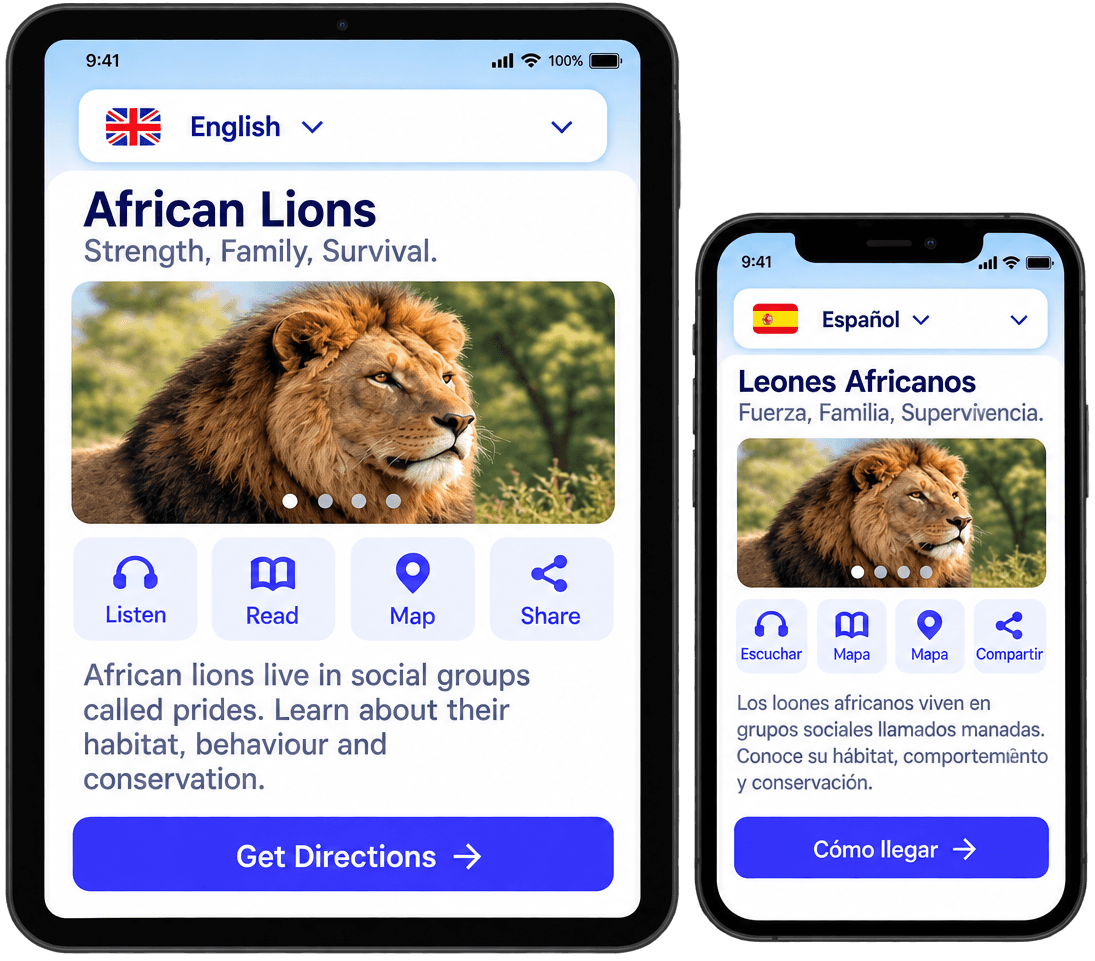
From language selection to a better visitor journey
Support visitors with translated content at the moments that matter.
Choose Language
Visitor selects one of the supported languages.
View Supported Content
The app shows translated menus, maps, exhibit information, or audio where available.
Continue the Visit
The visitor explores with more clarity and confidence.
Support the languages your visitors need
Compact, powerful feature capabilities designed for real venue needs.
Language Selection
Visitor can choose from supported languages.
Translated Content Coverage
Menus, descriptions, maps, audio, and messages can be configured per deployment.
Multilingual Maps & Navigation
Help visitors understand locations, routes, and destinations in their chosen language.
Content & Translation Management
Organize approved language content and keep updates consistent.
See Multilingual Guidance in Action
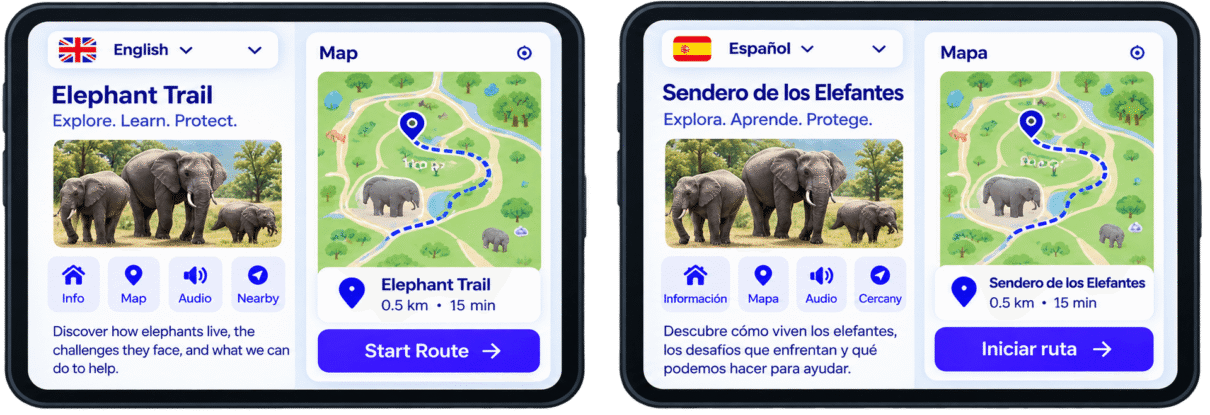
Value for Visitors and Venue Teams
For Visitors
For Venue Teams
Explore Related Pigeon-Tech Experiences
Central translation hub
Engaging, dynamic maps
Accessible experiences
Offline translated guide
Frequently Asked Questions
A multilingual visitor app allows visitors to access supported digital content in more than one language within the same visitor experience.
With Pigeon-Tech, multilingual support can be configured for content such as:
1. Navigation menus
2. Exhibit or attraction descriptions
3. Maps and destination information
4. Educational content
5. Event or program information
6. Notifications
7. Audio or other supported media
The available languages and the content covered should be defined for each deployment.
No. Multilingual support and automatic translation are not the same thing.
Pigeon-Tech can display translated content that has been configured and approved for the visitor experience. The translation itself may be:
1. Provided by the venue
2. Created through an agreed translation process
3. Reviewed and approved before publication
If automatic or AI-assisted translation is used, that should be clearly defined as part of the implementation.
For important visitor information, venues should have a review and approval process to maintain accuracy and consistency.
The languages available in a Pigeon-Tech visitor app depend on the deployment and the content the venue chooses to provide.
A venue can prioritize languages based on its audience, location, visitor demographics, and accessibility goals.
Before launch, the implementation should define:
1. Supported languages
2. Which screens and content types are translated
3. Who provides or approves translations
4. What happens when a translation is unavailable
Pigeon-Tech should publish a specific language list only after those languages have been confirmed for the deployment.
Depending on the configuration, multilingual content may include:
1. Menu and navigation labels
2. Exhibit descriptions
3. Animal or artifact information
4. Maps and points of interest
5. Events and programs
6. Educational content
7. Quiz questions
8. Treasure hunt content
9. Notifications
10. Audio descriptions or guides
11. Visitor instructions
Different content types may require different translation workflows.
For example, translating a menu label is different from producing approved multilingual audio or translating content supplied by a third-party system.
The supported content types should therefore be agreed during implementation.
Yes. Interactive maps and wayfinding experiences can display supported translated labels and visitor information when multilingual content is configured.
This may include:
1. Destination names
2. Categories
3. Points of interest
4. Amenities
5. Route information
6. Visitor instructions
The underlying map does not need to change for every language; the labels and related digital content can be presented according to the selected language.
Language coverage for any third-party map or integrated service may depend on that system.
Explore Digital Wayfinding
Translated content should follow the same content-management process as other visitor information, with clear responsibility for translation and approval.
Depending on the configured administration capabilities, venue teams may be able to manage items such as:
Translated descriptions
Menu labels
Images and media
Events
Visitor messages
Quiz or educational content
When the original source content changes, the corresponding translations should also be reviewed and updated.
The exact administration permissions and translation workflow should be defined during setup.
Explore Content Management
Not automatically.
If the Pigeon-Tech experience links to or embeds a third-party service, such as ticketing, memberships, ordering, or another external platform, the language support for that content depends on the third-party system.
For example, the Pigeon-Tech interface may be shown in Spanish while an external ticketing page remains in English if that provider does not support Spanish.
Third-party language limitations should be reviewed during implementation so the visitor journey remains as consistent as possible.
Yes. Pigeon-Tech can provide a white-labeled visitor experience using the venue’s branding while also supporting configured multilingual content.
The visitor-facing experience can use the organization’s:
1. Logo
2. Colors
3. Branding
4. Content
5. Navigation
6. Supported languages
This allows museums, zoos, attractions, events, and other venues to offer multilingual experiences within their own branded digital environment.
The underlying Pigeon-Tech platform provides the configured technology while the visitor experience reflects the venue’s brand.
Explore White-Label Visitor Apps
A multilingual visitor app can help visitors understand information more easily by presenting supported content in a language they are more comfortable using.
This can reduce language barriers when visitors are:
1. Finding destinations
2. Reading exhibit information
3. Following instructions
4. Reviewing events or programs
5. Participating in quizzes or activities
6. Navigating the venue
Multilingual support does not replace every accessibility requirement, but it can make digital visitor information more inclusive for international and multilingual audiences.
